Best Digital Alarm Clock in 2026: What to Look For and Top Picks by Need

Shopping for a digital alarm clock in 2026 means choosing between a lot more than just "loud" or "quiet." Standalone devices now come with sunrise lights, sound machines, and smart-home hooks, while phone apps have gotten far more capable than the default clock app. This roundup breaks down what actually matters and points you toward the right pick depending on what you struggle with.
The short answer
The best digital alarm clock for most people in 2026 depends on what you're solving for: a budget bedside clock with a big display and battery backup covers the basics, a smart alarm clock or app adds sleep-cycle timing and smart-home integration, and a task-based app like OwlRoutine is the most reliable option for heavy sleepers who need to be forced fully awake. There's no single "best" — match the feature to the actual problem.
Standalone device vs phone app
| Standalone clock | Phone alarm app | |
|---|---|---|
| Cost | $15-180 depending on features | Usually free or low subscription |
| Battery backup | Common on budget models | Depends on phone charge |
| Screen-free bedroom | Yes | No, unless you charge it across the room |
| Task/mission alarms | Rare | Common in dedicated apps |
| Software updates | Rare after purchase | Frequent |
| Portability | Low | Travels with you |
Neither is universally better. A standalone clock is great if you're trying to keep your phone out of the bedroom (see phone before bed). An app is better if you travel, want mission-based wake tasks, or want your wind-down routine and alarm in one place. For the general decision process, see alarm clock buying guide.
What to look for, regardless of format
- Reliable backup power. A clock that resets to 12:00 after a power blip is useless. Look for battery backup on devices, and keep your phone charging on plane-mode-off overnight for apps.
- Brightness control. A display bright enough to read at 3am but dimmable so it doesn't disrupt sleep. Screens that can't dim are a common return reason.
- Snooze that doesn't sabotage you. Long or unlimited snooze windows quietly wreck your morning. See how to stop hitting snooze.
- Sound options. A single beep is easy to sleep through or tune out. Look for varied tones or escalating volume — see best alarm sounds to wake up.
- A genuine "get up" mechanism if snoozing or sleeping through alarms is your actual problem, not just a loud sound.
OwlRoutine helps you wind down at night and actually get up in the morning — with a guided wind-down, dismiss missions, and sleep scores. Available on iPhone and Android.


Best by category
Budget pick: simple LED/LCD clock
Look for a basic digital clock with battery backup, adjustable brightness, and a large, readable display. Skip anything with a complicated multi-button interface — the clocks people actually keep using are the ones that are easy to set correctly the first time.
Smart pick: sleep-cycle-aware alarm
Devices and apps that track movement or use your phone's sensors to wake you during a lighter sleep phase, within a chosen window, aim to reduce grogginess (sleep inertia). Apple's AlarmKit changes in iOS 26 have also made third-party smart alarms more reliable on iPhone. See what is a smart alarm clock for the full breakdown.
Smart-home pick: voice assistant integration
If you already run Alexa or Google Home routines, an alarm that can trigger lights, coffee makers, or blinds turns waking up into a small automated event. Details in smart home alarm integration.
Heavy-sleeper pick: task-based mission alarm
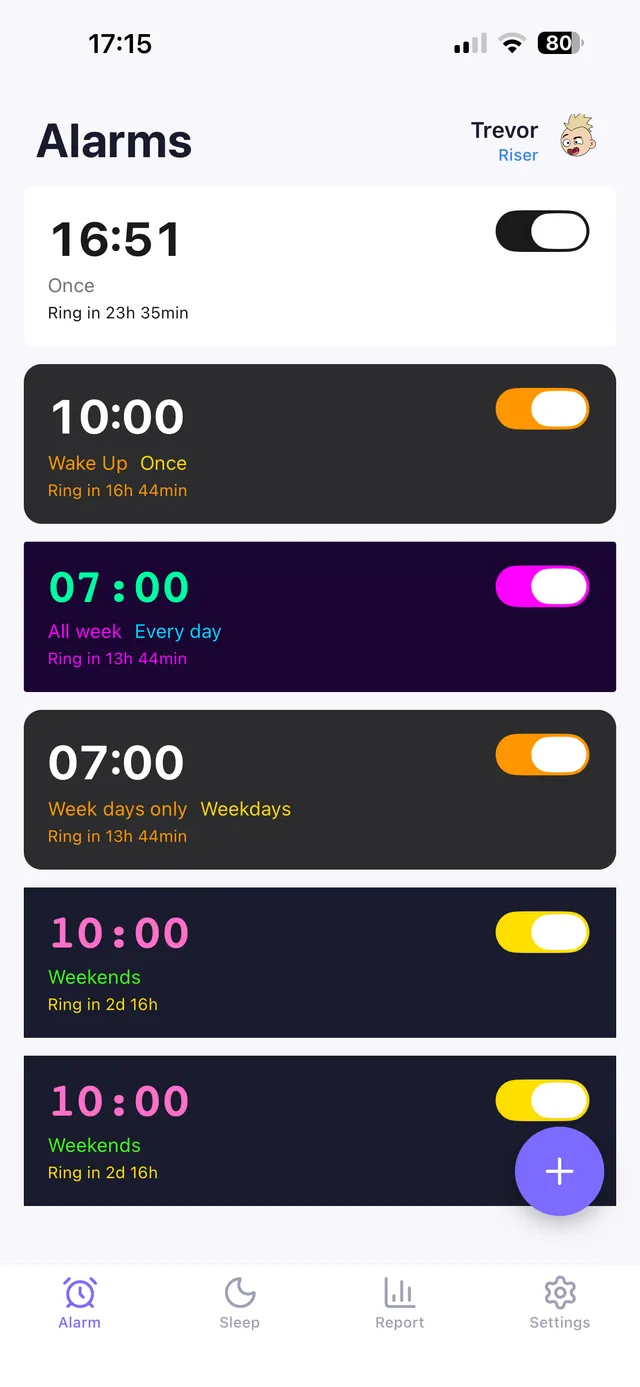
This is where most standalone clocks lose to apps. A digital clock, however loud, can usually be slapped off half-asleep with no memory of it. A mission alarm — solving a math problem, snapping a photo of a specific spot like the bathroom mirror, typing a phrase, or scanning a QR code — requires enough cognitive engagement that going back to sleep isn't an option. OwlRoutine builds its alarm around exactly this. See best alarm app for heavy sleepers and math alarm app.
Loudest pick
If pure volume plus escalation is what you need (often paired with a bed shaker), see loudest alarm clock and vibrating alarm clock.
A note on "best" lists
Most "best digital alarm clock" roundups rank by hardware specs alone — display size, sound options, price. Worth asking a more useful question first: why do you actually need an alarm clock that's different from what you have now? If you're oversleeping, the fix is rarely a bigger speaker — it's usually a mechanism that requires action, like a mission alarm, or an earlier and more consistent bedtime enabled by a proper wind-down routine.
The bottom line
There's no single best digital alarm clock for everyone in 2026 — the right pick depends on whether you're solving for budget, smart-home convenience, or actually getting out of bed. A basic backup-powered clock covers the essentials, smart alarms add sleep-cycle timing, and task-based apps solve the problem that hardware alone usually can't: getting a heavy sleeper fully awake and out of bed.
OwlRoutine is built for that last category. Its mission alarm won't stop until you've completed a real task, and its guided wind-down routine at night makes the whole system — falling asleep and waking up — work together instead of fighting each other.
Frequently asked questions
Is a standalone alarm clock better than a phone app?
Neither is universally better. A standalone clock keeps your phone out of the bedroom; a phone app usually offers more features like sleep-cycle timing and task-based mission alarms, and travels with you.
What's the most important feature in a digital alarm clock?
Reliable power (battery backup or a charged phone), adjustable brightness, and a wake mechanism that actually matches your problem — loud sound for light sleepers, task-based alarms for heavy sleepers.
Do smart alarm clocks actually work better?
Sleep-cycle-aware smart alarms can reduce grogginess by waking you in a lighter sleep phase, but they don't guarantee you'll get up if you're a heavy sleeper — that usually needs a task-based approach.
What's the best alarm clock for someone who always hits snooze?
A mission-based alarm app that requires completing a task — like solving a math problem or taking a photo of a specific spot — tends to work better than a louder clock, because it removes the option of turning it off half-asleep.
Wake up for real. Wind down for good.
OwlRoutine is a sleep-cycle alarm that makes mornings actually stick — with a guided wind-down, dismiss missions, sleep scores and rewards. Available on iPhone and Android.