Best Alarm App for Heavy Sleepers (2026): What Actually Matters Before You Download
Search for the best alarm app for heavy sleepers and you'll find dozens of "top 10" lists that mostly rank apps by how loud and annoying they are. Volume isn't the problem for most heavy sleepers, though. The problem is that a normal alarm can be silenced with a single tap by someone who is still 90% asleep. The apps that actually help are built around stopping that autopilot dismissal — and around making sure the alarm rings in the first place.
This guide covers what to look for, how the main mission-based apps differ, and which features are marketing fluff.
The short answer
Choose an alarm app that (1) requires a mission — a task that needs real thinking — before it stops, (2) rings reliably through Silent mode and Focus/Do Not Disturb, and (3) gives you a reason to keep using it, like streaks or a morning report. Loudness and novelty sounds matter far less than those three.
What makes an alarm app work for heavy sleepers
1. Dismissal that requires your brain
A "mission" alarm won't go quiet until you complete a task: solve arithmetic, type a phrase, photograph a particular spot in your home, or similar. The point isn't punishment — it's that working memory and fine motor control are exactly what a half-asleep brain lacks. If you can complete the mission, you're awake.
Good missions are:
- Hard enough that you can't do them with your eyes closed.
- Short enough (30–90 seconds) that you don't start dreading the alarm.
- Adjustable, so you can make them harder if you start cheating.
2. Reliability: does it actually ring?
This is where many apps quietly fail. Before iOS 26, third-party iPhone alarm apps could only use notifications, which Silent mode or a Focus mode could mute. Since iOS 26, Apple's AlarmKit lets third-party apps schedule true alarms that break through Silent mode and Focus, just like the built-in Clock app. On Android, well-built alarm apps use full-screen alarm intents and a foreground service to take over the screen.
Before you commit to an app, test it: set an alarm five minutes out, put your phone on silent, enable your sleep Focus, lock the screen and wait.
3. Snooze control
Snoozing is how heavy sleepers turn one alarm into forty minutes of broken sleep. Snoozing leaves you more tired, not less. Look for the ability to disable snooze entirely or cap it at one short snooze per alarm.
4. Something that makes tomorrow easier
The best apps don't just attack the morning; they help you get to bed on time, because an alarm that lands in light sleep is far easier to wake from. Features like bedtime reminders, a wind-down session or a morning report that shows your trend help turn a daily fight into a habit.
Comparison: popular mission alarm apps
Feature sets change often, so treat this as a snapshot and check each app's store listing before you decide.
| App | Platforms | Example missions | Distinctive angle |
|---|---|---|---|
| Alarmy | iOS, Android | Photo, math, barcode, shake, memory and more | The long-running category leader with the widest mission catalogue |
| SuperAlarm | iOS | Math, memory, barcode, object scan, walking | Hard-to-dismiss alarms with snooze blocking |
| Captain Wake | iOS, Android | Photo missions tied to a place in your home | Photo missions that are hard to cheat |
| OwlRoutine | iOS, Android | Math, word, typing, bed photo | Mission difficulty depends on how well you wound down the night before |
We go deeper on the trade-offs in OwlRoutine vs Alarmy vs Wayk.
Features that matter less than you think
- Extreme volume. Useful for the hard-of-hearing, but most heavy sleepers hear the alarm — they just turn it off. A 2020 RMIT University study even linked melodic alarm sounds to less morning grogginess than harsh tones.
- Dozens of novelty sounds. Nice, but you'll use one.
- "Smart" sleep-stage wake windows based on phone-on-mattress movement. These can be a pleasant extra, but phone accelerometers are a rough proxy for sleep stages. A consistent schedule does more.
OwlRoutine helps you wind down at night and actually get up in the morning — with a guided wind-down, dismiss missions, and sleep scores. Available on iPhone and Android.
How to set up any alarm app for maximum effect
- Pick one fixed wake time, seven days a week. Consistency is what trains your body clock.
- Choose a mission that takes you out of bed if you tend to fall back asleep — a photo mission of your bathroom sink or kitchen works well.
- Turn snooze off or allow one short snooze only.
- Test it on silent with your sleep Focus on.
- Put the phone where you have to stand to reach it, if the mission is one you can do lying down.
- Review your mornings weekly. If you're still struggling, the fix is usually at night, not in the alarm settings.
When an app isn't enough
If you're sleeping 8–9 hours and still can't wake, or you wake exhausted every day, the problem might not be the alarm. Sleep apnea, depression, some medications and other conditions can all make waking extremely hard. Waking up tired after 8 hours covers the common causes — and when to see a doctor.
The bottom line
The best alarm app for heavy sleepers is the one that ends autopilot dismissals, rings through Silent mode and helps you fix the night before. Test reliability first, then pick a mission you can't do half-asleep, then turn off snooze.
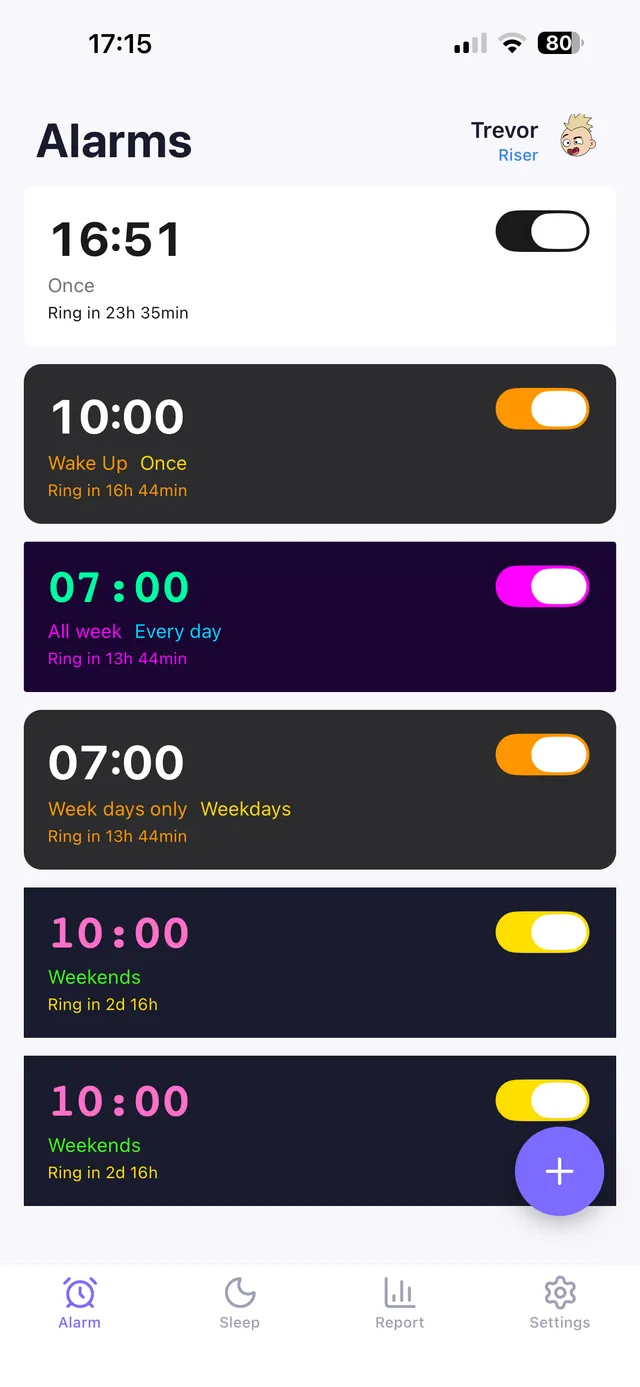
OwlRoutine was built around that idea. Alarms can require a math, word, typing or bed-photo mission, and the difficulty adapts to your evening — a completed wind-down earns an easier mission, a skipped one makes it harder. On iOS 26+ it uses AlarmKit to ring through Silent mode, and the report tab shows your streaks and a heatmap of how your mornings are actually going.
Frequently asked questions
What is the best alarm app for heavy sleepers?
Look for an app that requires a mission (math, typing or a photo) to dismiss, rings through Silent mode and Focus, and lets you disable snooze. Popular options include Alarmy, SuperAlarm, Captain Wake and OwlRoutine; test each on silent before relying on it.
Do alarm apps work when my iPhone is on silent?
Since iOS 26, apps that use Apple's AlarmKit can ring through Silent mode and Focus like the Clock app. Older approaches rely on notifications, which Silent mode or Focus can mute, so always test an app with your phone on silent.
Are mission alarms better than loud alarms?
For most heavy sleepers, yes. The usual problem isn't hearing the alarm but switching it off without waking. A mission requires enough thinking that you're genuinely awake by the time it stops.
Can an alarm app fix my sleep problem?
An app can fix the waking-up part. If you feel exhausted even after long nights, speak to a doctor — conditions like sleep apnea can't be solved by an alarm.
Wake up for real. Wind down for good.
OwlRoutine is a sleep-cycle alarm that makes mornings actually stick — with a guided wind-down, dismiss missions, sleep scores and rewards. Available on iPhone and Android.