The Best Alarm Clock for Kids: A Parent's Guide by Age

Getting a child to wake up and get ready without a parent standing over them is a genuine milestone — for the kid's independence and for everyone's mornings. The right alarm clock for kids depends heavily on age, and the wrong choice (usually a phone, too early) can create more problems than it solves. Here's how to pick one, broken down by what actually works at each stage.
The short answer
For toddlers and young children (roughly ages 3-6), a visual "OK to wake" clock that changes color when it's acceptable to get up works best, since kids that age can't reliably read a clock face. For early elementary (6-9), a simple analog or digital alarm clock with no internet connection builds the habit without screen exposure. For older kids and teens (10+), a dedicated alarm app — not open phone access — can work well if it's scoped narrowly enough to avoid turning into a screen-time loophole. In all cases, a standalone device delays the "kids need a phone" conversation longer than most parents expect.
Why a phone usually isn't the first answer
It's tempting to just have a young child use a hand-me-down phone as an alarm clock, but this tends to backfire:
- It's a screen-time Trojan horse. An alarm clock quietly becomes a nightstand entertainment device, especially with notifications or app access.
- It undermines the wind-down routine. A phone in the bedroom is linked to worse sleep in kids and teens, similar to the effect in adults — see phone before bed.
- It's not actually necessary until much later. Waking up on time is a skill best built with the simplest tool that works, not the most feature-rich one.
If a phone-based alarm becomes appropriate (typically for teens who already have a phone for other reasons), a dedicated alarm app used specifically for mornings — not the general phone unlocked in bed — is a reasonable middle ground.
By age
Ages 3-6: visual "OK to wake" clocks
These clocks use a simple color change (often a moon or sad face switching to a sun or happy face) at a set wake time, so a child who can't read a clock yet has an unambiguous, non-verbal cue for "you can get up now." This is one of the most effective tools for stopping early-morning wake-ups from turning into early-morning wandering. No sound is usually needed at this age — the visual cue does the job.
Ages 6-9: a simple standalone alarm clock
Once a child can read numbers, a basic analog or digital clock with a gentle-to-moderate alarm sound introduces the concept of "the clock tells you when," separate from a parent calling out. Look for:
- A display that's easy to read half-asleep, with adjustable brightness.
- A sound that's noticeable but not frightening — sudden loud beeping can make some kids dread the alarm itself.
- No internet connectivity, no apps, no notifications.
This is also a good age to start a consistent bedtime routine alongside the morning routine, since the two reinforce each other — see journaling before bed for age-appropriate wind-down prompts and morning routine for students once school mornings are the main pressure point.
Ages 10-13: building real independence
This is the age where kids can start managing their own wake-up and getting-ready routine, with the parent stepping back from being the actual alarm. A standalone clock is still often the better choice over a phone, but if the family already has a household tablet or an older phone repurposed as a bedroom clock, restricting it to alarm-only use (no apps, no messaging, do-not-disturb enabled) can work.
OwlRoutine helps you wind down at night and actually get up in the morning — with a guided wind-down, dismiss missions, and sleep scores. Available on iPhone and Android.


Teens with their own phone
By the time a teen has a personal phone for legitimate reasons (school, social, safety), the alarm clock question shifts from "should they have a screen" to "how do we stop the alarm from being an excuse to check the phone at 6:45am." A few things help:
- A dedicated alarm app, used consistently, rather than the default Clock app buried among everything else.
- Charging outside the bedroom, or at least across the room, so turning off the alarm requires getting up — a genuinely useful habit at any age, covered in alarm that makes you get out of bed.
- A firm no-phone-in-bed rule that isn't just for mornings. Teens who scroll at night are the ones who can't wake up in the morning — the two problems are usually the same problem.
Building independence without daily battles
- Let natural consequences teach. Within reason, letting a child experience being late (with school, not with anything unsafe) teaches faster than a parent's tenth wake-up call.
- Keep the wake time consistent, weekends included where possible — inconsistent sleep schedules make mornings harder for kids just as they do for adults. See sleep consistency matters.
- Pair it with a bedtime anchor. A child who goes to bed at a wildly different time each night will struggle with any alarm, regardless of how good it is.
- Praise the independence, not just the timeliness. "You got yourself up" matters more to reinforce than "you weren't late."
The bottom line
The right alarm clock for a child isn't about features — it's about matching the tool to what the child can actually process at their age, while keeping phones out of the bedroom for as long as reasonably possible. Visual clocks for toddlers, simple standalone clocks for early elementary kids, and scoped, distraction-free apps for teens with their own phones each build independence at the right pace.
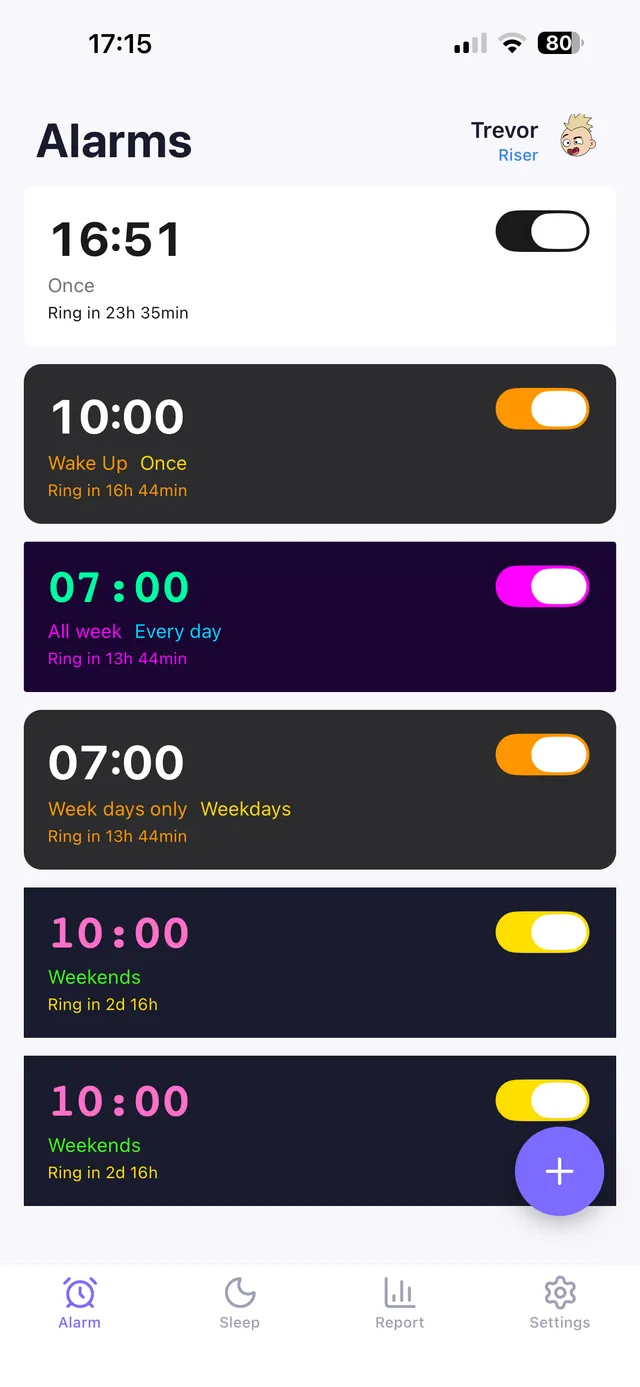
When a phone-based alarm does become appropriate, an app built around a single clear job — like OwlRoutine's mission alarm, which requires completing a small task to turn off — keeps mornings from turning into a phone-in-bed habit, and its evening wind-down routine can help teens build the same healthy bedtime habits that make waking up easier in the first place.
Frequently asked questions
What's the best alarm clock for a toddler?
A visual 'OK to wake' clock that changes color (often moon to sun) at the set wake time works best for children too young to read a clock, giving them a clear, wordless cue for when it's okay to get up.
Should kids use a phone as an alarm clock?
It's best avoided until a child already has a phone for other legitimate reasons, since a phone in the bedroom tends to become a screen-time device and can undermine sleep, similar to the effect seen in adults.
At what age can kids manage their own alarm?
Many children can start managing a simple standalone alarm clock around ages 6-9, with full independence from a parent-managed wake-up typically achievable by 10-13.
How do I get my teen to actually get up when their alarm goes off?
Charging the phone across the room so turning it off requires getting out of bed, using a dedicated alarm app instead of the general phone, and keeping a consistent bedtime all help more than a louder alarm sound alone.
Wake up for real. Wind down for good.
OwlRoutine is a sleep-cycle alarm that makes mornings actually stick — with a guided wind-down, dismiss missions, sleep scores and rewards. Available on iPhone and Android.