iPhone Alarm Not Going Off? 10 Fixes (Including Silent Mode, Focus and Third-Party Apps)
Few things are more stressful than waking up late and realising your iPhone alarm didn't go off — or that it went off so quietly it might as well not have. The good news: when an iPhone alarm is "not going off", it's almost always a setting, not a broken phone. Work through the checks below and you'll find the cause in a few minutes.
The short answer
Check that the alarm's Sound isn't set to "None", that Ringtone & Alert volume isn't near zero, that Attention Aware Features aren't lowering the volume, that no headphones or speakers are connected, and that the alarm is set for the right time, AM/PM and days. If you use a third-party alarm app, make sure it uses AlarmKit (iOS 26+) or test it with Silent mode and Focus on — older-style app alarms can be muted.
The 10 fixes
| # | Check | Where |
|---|---|---|
| 1 | Alarm sound isn't "None" | Clock → Alarms → Edit alarm → Sound |
| 2 | Ringtone & Alerts volume is up | Settings → Sounds & Haptics |
| 3 | Attention Aware Features | Settings → Face ID & Passcode |
| 4 | Headphones or speaker connected | Control Centre → audio output |
| 5 | Correct time, AM/PM and repeat days | Clock → Alarms |
| 6 | Sleep schedule vs regular alarm | Clock → Alarms (Sleep |
| 7 | Third-party app permissions (AlarmKit) | Settings → [App] / Notifications |
| 8 | Focus mode muting app notifications | Settings → Focus |
| 9 | iOS up to date / restart | Settings → General → Software Update |
| 10 | Battery and overnight restarts | Charge overnight; check Low Power habits |
1. The alarm sound is set to "None"
It's easy to accidentally pick "None" while scrolling the sound list. Then the alarm only vibrates (or does nothing visible if the phone is face-down). Open the alarm and check Sound has a real tone selected. While you're there, try a new tone — familiar sounds are easier to sleep through. See why you sleep through your alarm.
2. Ringtone & Alerts volume is too low
The built-in Clock alarm plays regardless of the Ring/Silent switch, but its volume follows Ringtone and Alerts in Settings → Sounds & Haptics — not the media volume you set while watching videos. Drag that slider up. If "Change with Buttons" is on, you may have lowered it without realising.
3. Attention Aware Features lowered it
On iPhones with Face ID, Attention Aware Features can lower alert volume when the phone detects you looking at it. If you glance at the screen when the alarm starts, it may drop. If this bothers you, turn it off in Settings → Face ID & Passcode.
4. Audio is going to headphones or a speaker
If AirPods, wired headphones or a Bluetooth speaker are connected, sound routing can surprise you. Disconnect audio devices at night or check the output in Control Centre before bed.
5. Wrong time, AM/PM or day
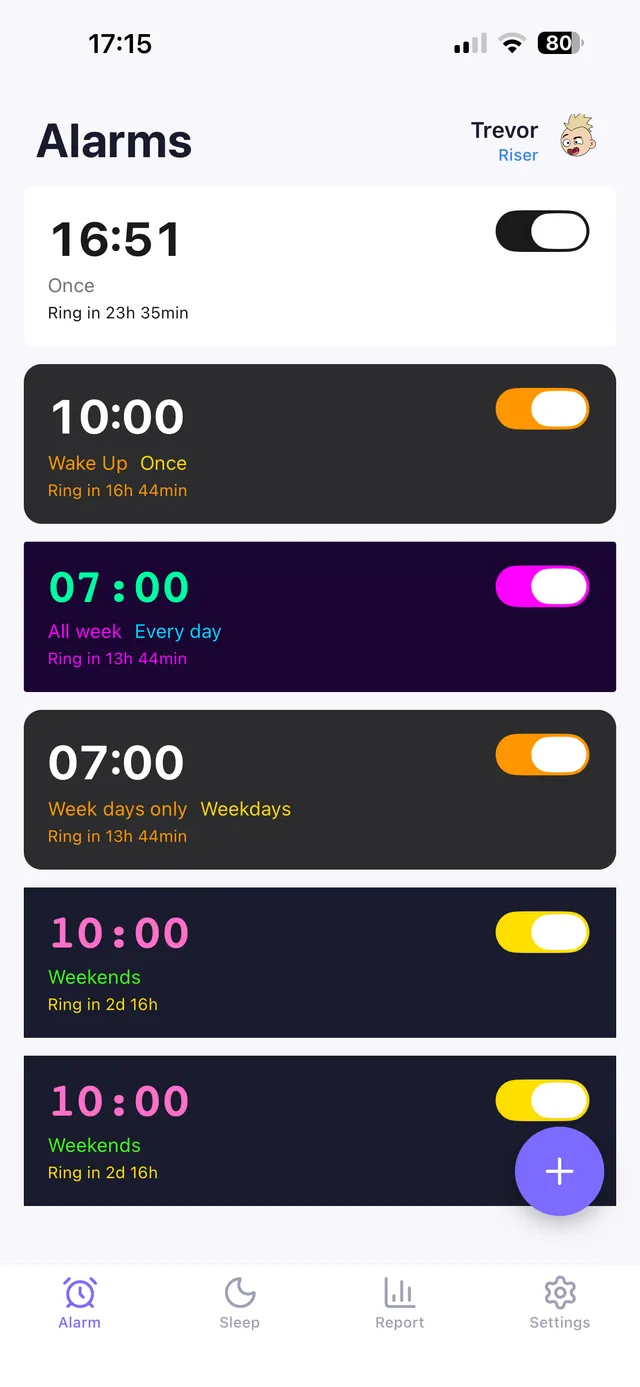
It sounds obvious, but it's one of the most common causes: 7:00 PM, an alarm set for weekdays only, or a one-off alarm that was used yesterday and is now off. Check the toggle is green and the repeat days are right.
6. You're relying on the Sleep schedule alarm
The Sleep | Wake Up alarm is controlled by your sleep schedule in the Health app. If the schedule is off for that day, or you skipped "next wake up", it won't ring. For important mornings, set a regular alarm as a backup.
OwlRoutine helps you wind down at night and actually get up in the morning — with a guided wind-down, dismiss missions, and sleep scores. Available on iPhone and Android.


7. Your third-party alarm app can't break through
This is where iOS 26 changed things. Before it, third-party alarm apps on iPhone could only use notifications, which Silent mode and Focus could mute — so many "my alarm app didn't go off" stories were really "my phone was on silent". With AlarmKit, introduced in iOS 26, apps can schedule true alarms that ring through Silent mode and Focus just like Clock, after you grant permission the first time.
What to do:
- Update to iOS 26 or later.
- When the app asks for alarm permission, allow it. You can review it later in the app's settings.
- Test: set an alarm 3 minutes ahead, switch to Silent, turn on your sleep Focus, lock the phone, wait.
8. Focus is filtering the app
Even with AlarmKit, check your Focus settings. For older apps or reminders that rely on notifications, add the alarm app to the allowed list and enable Time Sensitive Notifications for it.
9. A software glitch
Occasionally, iOS updates have caused alarm bugs. Make sure you're on the latest version, restart the phone, and if an alarm keeps misbehaving, delete it and create a new one.
10. Battery or overnight restarts
If the phone dies or restarts overnight for an update, you can lose the alarm. Charge overnight, and avoid scheduling updates for the night before an important morning.
Alarm goes off but you still don't wake up?
That's a different problem — usually sleep debt, deep-sleep timing or dismissing it on autopilot. How to wake up a heavy sleeper and the best alarm apps for heavy sleepers cover the fixes, from mission alarms to fixing your wake time.
The bottom line
When your iPhone alarm isn't going off, check sound, volume, attention features, audio output and the alarm's time and days first. If you use an alarm app, make sure it's using AlarmKit on iOS 26+ — and always test it on silent before trusting it with an important morning.
OwlRoutine uses AlarmKit on iOS 26 and later so its alarms ring through Silent mode and Focus like the Clock app. On older iOS versions it falls back to a chain of escalating time-sensitive notifications, and on Android it uses a full-screen alarm. Then, once it rings, a mission makes sure you actually get up.
Frequently asked questions
Why didn't my iPhone alarm go off?
Common causes are the alarm sound set to None, low Ringtone and Alerts volume, headphones or a speaker connected, the wrong AM/PM or repeat days, a disabled sleep schedule, or a third-party app muted by Silent mode or Focus.
Does the iPhone alarm work on silent?
Yes, the built-in Clock alarm rings even when the Ring/Silent switch is set to silent. Since iOS 26, third-party apps that use AlarmKit can also ring through Silent mode and Focus.
Why is my iPhone alarm so quiet?
Alarm volume follows the Ringtone and Alerts slider, not media volume. Attention Aware Features can also lower it when you look at the phone.
Do third-party alarm apps work on iPhone?
Apps that use Apple's AlarmKit (iOS 26 and later) can behave like the Clock app, including ringing on silent. Older notification-based apps can be muted, so test any app on silent before relying on it.
Wake up for real. Wind down for good.
OwlRoutine is a sleep-cycle alarm that makes mornings actually stick — with a guided wind-down, dismiss missions, sleep scores and rewards. Available on iPhone and Android.